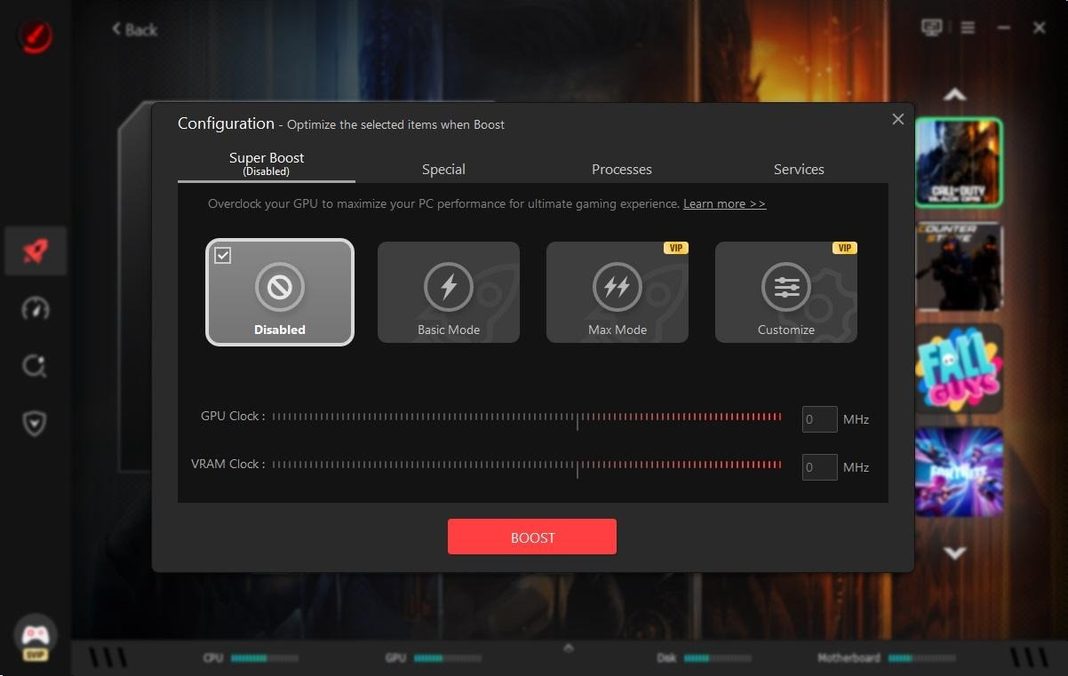
PC gaming performance can change significantly depending on system resources, graphics drivers, background applications, and network conditions. Even a capable gaming PC may experience FPS drops, lag spikes, long loading times, or unstable gameplay when the system is not properly optimized. Smart Game Booster is designed to bring several useful gaming optimization tools together in one application, helping players prepare their PCs for smoother gaming sessions.
What Is Smart Game Booster?
Smart Game Booster is a Windows utility focused on improving the overall gaming environment. It provides tools for performance optimization, driver management, game compatibility checks, network acceleration, and hardware monitoring.
As a Game Booster, it can help players prepare their computers before launching demanding titles. Instead of manually adjusting different Windows settings, users can access several gaming-related optimization features from one straightforward interface.
How Smart Game Booster Can Improve FPS
Low FPS is one of the most common problems PC gamers face. Background applications can consume CPU and RAM resources, while outdated graphics drivers may affect game stability and performance.
Smart Game Booster can optimize the system by closing unnecessary background processes and cleaning unwanted files. It can also help update graphics and audio drivers, improving compatibility between the operating system, hardware, and games.
For gamers specifically looking for an FPS Booster, Smart Game Booster includes performance-focused features designed to help free system resources and optimize hardware performance. Its Super Boost feature can also tune GPU and VRAM performance on supported systems. Actual results depend on the computer’s hardware, game settings, drivers, and other system conditions.
Reduce Ping and Gaming Lag
FPS is only one part of a smooth gaming experience. Online games also depend heavily on network stability. High ping, packet loss, and inconsistent routing can cause noticeable delays, particularly in competitive multiplayer games.
Smart Game Booster includes network acceleration designed to improve the connection between a player’s PC and supported game servers. This can be useful for players who regularly experience unstable connections or connect to servers located far from their region.
Network performance still depends on factors such as the internet provider, connection quality, geographic location, and game server. However, having network optimization tools available alongside system optimization can make it easier to troubleshoot common gaming issues.
A Simple Way to Prepare Your PC Before Gaming
One useful aspect of Smart Game Booster is that many optimization tasks can be handled without changing individual Windows settings manually. After installing the software, users can scan their system and review the available optimization options.
A typical gaming preparation process can include closing unnecessary background applications, checking drivers, cleaning system junk, and optimizing game-related settings. Players can then launch their preferred game and monitor performance while playing.
The software also provides real-time information such as FPS and hardware temperatures. This can help gamers understand how their system behaves during demanding gameplay and identify potential performance limitations.
Check Whether Your PC Can Run a Game
Before installing a new game, it is useful to know whether a computer meets its hardware requirements. Smart Game Booster includes a compatibility-checking feature that allows players to compare their computer specifications with the requirements of supported games.
This can save time when deciding whether a particular title is suitable for a system. It can also help users identify hardware limitations before purchasing or downloading a demanding game.
Is Smart Game Booster Worth Trying?
Smart Game Booster brings several PC gaming tools together rather than requiring gamers to use separate applications for performance optimization, driver updates, monitoring, and compatibility checks.
It can be particularly useful for players who want a straightforward way to prepare their Windows PC before gaming. The software offers features for optimizing system resources, managing drivers, improving network performance, and monitoring gaming conditions.
No Game Booster or FPS Booster can completely overcome the limitations of older hardware, but proper optimization can help a system make better use of its available resources. Keeping drivers updated, reducing unnecessary background activity, monitoring temperatures, and maintaining a clean system are all useful parts of maintaining a gaming PC.
For players who want multiple gaming optimization tools in one place, Smart Game Booster provides a practical solution for preparing a Windows computer and creating a smoother gaming environment.