Exploring a More Efficient Approach to 3D Modeling
Three-dimensional content has become an important part of modern digital production. From video games and animated films to product visualization, collectibles, and 3D printing, creators increasingly need detailed 3D assets to bring their ideas to life. However, traditional 3D modeling can require considerable time, technical knowledge, and experience with specialized software. For beginners, even creating a relatively simple object may involve learning mesh construction, materials, lighting, and other essential modeling techniques.
Artificial intelligence is changing this process by making 3D creation more accessible. Instead of building every object manually, users can now rely on AI-powered tools to transform visual references into three-dimensional models. These tools can help reduce repetitive work, accelerate early-stage design, and give creators more opportunities to experiment.
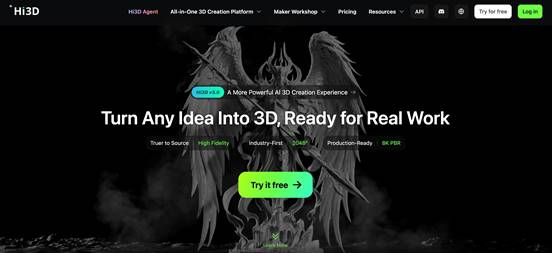
Hi3D is an AI-powered 3D creation platform designed to simplify the journey from an initial idea to a usable digital asset. As a versatile 3d model generator AI, it offers capabilities including image-to-3D generation, AI texturing, image generation, 3D relief creation, model splitting, and multicolor printing preparation. By bringing several creation tools together, Hi3D supports different stages of the 3D workflow rather than focusing exclusively on generating basic geometry.
The platform serves a broad audience, including hobbyists, designers, digital artists, game developers, and 3D printing enthusiasts. Whether someone wants to create a collectible figure, develop a character concept, or prepare an object for further editing, Hi3D provides an accessible starting point for exploring three-dimensional design.
Transforming Images into Three-Dimensional Models
One of Hi3D’s central capabilities is AI-powered image-to-3D generation. This feature allows users to upload a two-dimensional reference image and generate a corresponding three-dimensional model. Supported image formats include JPG, PNG, and WebP, making it convenient to work with photographs, illustrations, sketches, and concept art.
The workflow is straightforward. Users begin by selecting an image with a clearly visible subject, upload it to the platform, and start the generation process. Hi3D then uses AI to reconstruct the subject as a 3D asset that can be reviewed, exported, and refined in subsequent workflows. This approach eliminates the need to create every part of the initial mesh from scratch.
Image-based generation can be particularly useful when a creator has a clear visual reference but lacks the time or experience to reproduce it manually. For example, a hobbyist might upload a photograph of a decorative object, while a game artist could start with a character illustration. A product designer might also use a concept image to develop a preliminary three-dimensional representation before making further adjustments.
For better results, the reference image should show the subject clearly, with relatively simple backgrounds and minimal obstruction. When details on the sides or back are important, multiple reference views can provide additional visual information. Nevertheless, AI reconstruction is not always perfect. Areas hidden from the camera may require manual refinement, and intricate structures may not be reproduced exactly as expected.
Hi3D’s image-to-3D functionality is therefore best understood as a way to accelerate model creation and exploration. It can reduce the effort required to establish an initial form while allowing users to concentrate on evaluating the result, adjusting details, and developing the model for its intended purpose.
Creating Visual Concepts with AI Assistance
A successful 3D project often begins before the modeling stage. Creators may need to explore different shapes, colors, styles, and compositions before deciding which direction to pursue. Generating reference images can make this exploratory process faster and more flexible.
Hi3D includes text-to-image capabilities that allow users to describe an idea in natural language and generate a visual concept. Reference-guided generation can also help users communicate their preferred appearance, while rapid variations make it easier to compare different creative directions.
For example, someone designing a fantasy collectible could experiment with different armor styles, surface colors, and decorative elements. A product designer might explore several visual treatments for a household accessory before selecting a promising concept. An illustrator could also develop alternative appearances for a character before moving into three-dimensional production.
These generated images can serve as starting points for subsequent 3D creation. Rather than switching immediately between unrelated tools, users can explore visual ideas and then use suitable references to guide model generation. This creates a more connected process between concept development and three-dimensional asset production.
AI-generated references still require human judgment. A visually attractive image may contain inconsistent details or ambiguous structures that are difficult to reproduce accurately in 3D. Selecting a clear, coherent reference and reviewing the resulting model remain important steps. When used thoughtfully, AI image generation can help creators explore more possibilities without committing substantial time to each preliminary idea.
Adding Surface Detail with AI Texturing
Geometry establishes a model’s shape, but surface appearance often determines how convincing the finished asset looks. Materials, colors, patterns, and surface details can make a simple object resemble painted wood, polished metal, fabric, stone, or another material.
Hi3D offers AI texturing tools that can apply visual detail to generated models or suitable models uploaded by users. Instead of creating every texture manually, users can employ AI to develop surface treatments and move from plain geometry toward a more visually complete asset.
The platform also supports reference-guided stylized texturing. Users can provide a reference image to influence the model’s colors, materials, or artistic style. This is useful when a project requires a particular visual direction rather than a generic realistic appearance. A designer might explore a ceramic-like finish for a decorative object, while a digital artist could apply a stylized appearance to a character or prop.
For workflows that require more realistic material behavior, Hi3D supports physically based rendering, commonly known as PBR. PBR materials help represent properties such as surface roughness and metallic response, making them useful in rendering pipelines and compatible game-engine workflows.
Additional controls, including shadow-removal adjustments, can help users create cleaner texture maps for subsequent editing. Removing unwanted lighting information from a texture can be beneficial when the surface needs to be relit in another environment or prepared for a different visual treatment.
AI texturing can reduce the amount of manual surface work, but its effectiveness depends on the underlying geometry and the reference material. Users should inspect seams, fine details, and difficult surface regions before using a textured asset in a finished project. The feature is especially valuable for rapid visual development, where exploring multiple appearances is often more important than manually producing every texture from the beginning.
Preparing Models for Practical 3D Printing
For many makers, the purpose of creating a 3D model is to produce a physical object. AI generation can help transform a visual idea into a digital asset, but printing introduces additional considerations, including geometry, dimensions, structural strength, and the capabilities of the selected printer.
Hi3D supports workflows that connect AI model generation with 3D printing. Users can export suitable models in formats such as STL, GLB, OBJ, and 3MF, depending on the workflow and feature being used. These formats serve different purposes: STL is widely used in 3D printing, 3MF can support printing-oriented information, and GLB or OBJ can be useful for visualization and further modeling.
After generating a model, users can continue working with compatible slicing software. Hi3D supports integrations with tools such as Bambu Studio, OrcaSlicer, and Creality Print, helping users move from digital creation toward print preparation.
The platform also provides model splitting capabilities. Large or complicated objects can sometimes be difficult to print as a single piece because of printer size limitations, overhangs, or assembly requirements. When you need to split 3d model into parts, dividing a model into separate components can make certain projects easier to manage. Hi3D’s Split-to-Print functionality is designed to divide models into printable components and add connectors that can facilitate assembly.
This can be useful for larger decorative objects, multipart collectibles, and designs that need to be printed in sections. Instead of treating the model as one indivisible structure, creators can consider how its components will fit together during production.
However, an AI-generated model should not automatically be assumed to be ready for every printer or application. Users may still need to inspect mesh integrity, wall thickness, clearances, supports, and connector fit. Functional parts that require precise tolerances generally need additional CAD work and testing. Hi3D helps streamline creative preparation, while final print quality continues to depend on the model, materials, printer settings, and manufacturing process.
Exploring Multicolor Models and Three-Dimensional Reliefs
Beyond conventional model generation, Hi3D includes specialized features for different types of physical output.
Multicolor printing can make decorative objects, character figures, and personalized gifts more expressive. Instead of relying entirely on a single material color, creators can work with models designed around distinct color regions. Hi3D’s multicolor workflow helps prepare color-separated geometry for supported printing processes, offering an alternative to manually constructing every colored component.
This capability can be particularly useful for visual projects where color is an important part of the design. A small character figurine, for instance, may benefit from separate regions for clothing, accessories, and facial details. A decorative object might use contrasting colors to emphasize patterns or distinctive features.
The practical result depends on the capabilities of the printer, the number of available materials, and the quality of the generated color regions. Users should verify compatibility and inspect the output before committing to a print.
Hi3D also supports 3D relief generation, which transforms two-dimensional visual content into raised or recessed surface forms. Unlike a conventional full 3D model, a relief emphasizes depth variations across a surface. This makes it suitable for decorative plaques, personalized keepsakes, artistic panels, and certain types of ornamental designs.
Relief generation provides another way to turn photographs, artwork, or graphic designs into tangible creations. It can help users explore products that combine the visual simplicity of a flat image with the dimensional qualities of physical manufacturing.
These specialized tools expand the range of projects that users can explore within the platform. Their value lies in supporting different creative objectives, rather than requiring every project to follow the same full-modeling workflow.
Exporting Models for Different Creative Workflows
A generated model becomes more useful when it can be transferred into other software. Different projects require different file formats, and a model intended for 3D printing may have different requirements from one intended for a game engine, animation package, or augmented reality experience.
Hi3D supports several common export formats, including GLB, OBJ, FBX, STL, USDZ, and 3MF, with availability depending on the feature and output type. This flexibility helps users incorporate generated assets into existing workflows instead of keeping them within a single environment.
GLB is useful for many real-time 3D and visualization applications, while OBJ is a familiar format for exchanging model geometry and associated surface information. FBX is commonly used in animation and game production pipelines. USDZ supports certain augmented reality workflows, whereas STL and 3MF are relevant to 3D printing.
Once exported, a model can be inspected and refined in suitable software. Blender, for example, can be used for additional modeling, scene preparation, and rendering. Slicing software can prepare suitable geometry for a printer, while game development tools can support integration into interactive environments.
Export flexibility is important because AI generation rarely represents the final step of a demanding production project. Professional users may need to optimize polygon counts, adjust topology, correct textures, or adapt the asset to a specific engine or manufacturing process. Beginners may simply want to save a model, experiment with its appearance, or share it with another creator.
By supporting multiple downstream workflows, Hi3D gives users room to develop generated assets beyond their initial output. The appropriate format should always be selected according to the requirements of the target application.
Supporting Different Types of Creators
One of the advantages of AI-assisted 3D creation is that it can serve people with very different levels of technical experience. Hi3D is relevant to hobbyists who want to make personalized objects, artists exploring new forms, and professionals looking for ways to accelerate preliminary asset production.
For beginners, image-based generation provides an alternative to learning every modeling operation before producing a first result. Someone interested in making a small desk ornament, for instance, can start with a reference image and use the generated model as a foundation for experimentation.
For digital artists, AI generation and texturing can help transform concept art into three-dimensional references. Artists can explore volume, silhouette, and surface appearance before deciding how much additional work a model requires.
Game developers and animation teams may use generated assets for early prototyping, background objects, props, or character concepts. The resulting models can provide a starting point for more detailed work in established production software. They should still be checked against project requirements, particularly when animation, deformation, performance, or consistent topology matters.
Product designers can also benefit from faster visual exploration. Converting a concept image into a preliminary 3D representation can help communicate an idea, evaluate its appearance, or prepare a starting point for further development. However, AI-generated geometry should not replace engineering validation when dimensional accuracy, safety, or mechanical performance is essential.
For 3D printing enthusiasts, the platform offers a route from visual inspiration to printable model files, alongside tools for splitting models and exploring multicolor output. These features can support personal projects, decorative objects, figurines, and customized gifts.
A Practical Starting Point for AI-Powered 3D Design
The broader appeal of AI-assisted modeling is not simply that it can generate objects automatically. Its real value lies in helping people move between stages of creation with less repetitive effort. A concept can become a reference image, the image can guide 3D generation, and the resulting geometry can be textured, refined, exported, or prepared for physical production.
Hi3D brings these capabilities together in a platform that supports image-to-3D conversion, AI-assisted texturing, concept image generation, model splitting, multicolor printing preparation, and relief creation. Its range of export options also makes it possible to continue working in other tools when a project requires more specialized editing.
The platform is not a substitute for every aspect of professional modeling, engineering, or production preparation. Complex assets may require manual corrections, and functional products still need appropriate technical validation. Nevertheless, AI-generated models can provide useful starting points and reduce the amount of work required to explore an idea.
For creators who want to experiment with three-dimensional design without beginning every project from a blank modeling scene, Hi3D offers an accessible way to investigate new possibilities. By connecting visual inspiration with model generation and subsequent production workflows, it helps make 3D creation more approachable for both newcomers and experienced users.