Gate B12, 6:40 in the morning. My three-year-old was face-down on the airport carpet, and the Noah video I’d sworn would be ready was just a little gray wheel going around and around. The free Wi-Fi wanted my email address and, for some reason, my zip code.
So yes, I learned this the hard way. If you’re looking for animated bible stories free download options so your kid has something decent to watch in the car or on a plane, or stuck in a waiting room where your phone gets one bar on a good day, this is the routine I wish someone had handed me before that trip. It’s not complicated. There’s just one part nobody tells you about.
First, Check If the App Can Even Do Offline
Not all of them can. Lots of kids’ apps only stream, and you won’t notice until you’re somewhere with no signal.
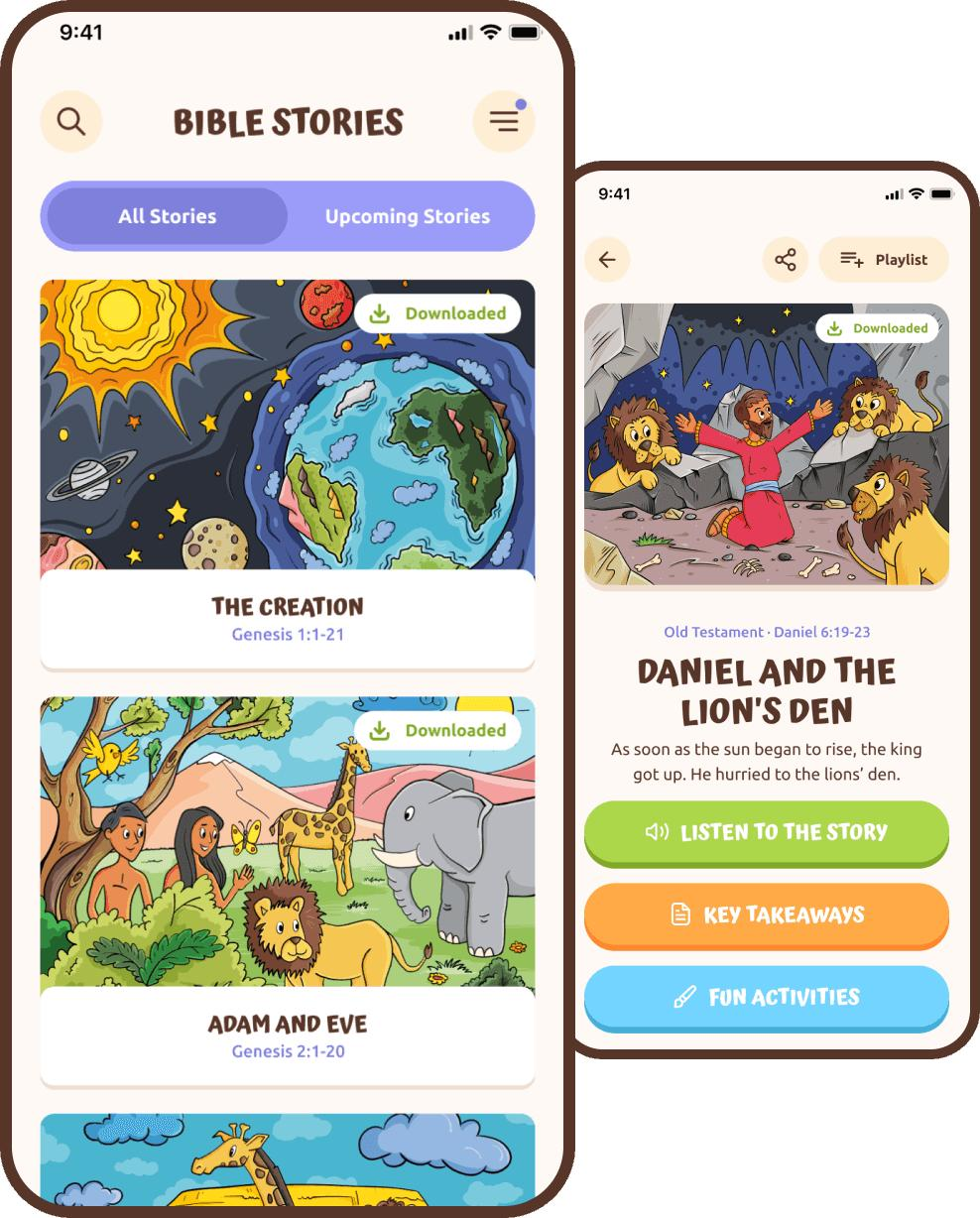
Open any story and look for a tiny down-arrow, the download icon. No arrow? Poke around in settings for something called “downloads” or “offline.” And if that turns up nothing, go to the app’s page in the App Store or Google Play and look for the word “offline” in the description. If they don’t brag about it there, I’d assume it’s not a feature.
Oh, and check whether downloading is free or a paid-plan thing. Some apps keep it locked. Find out now, on your couch, not when the plane is pushing back.
Downloading Bible Stories, Step by Step (the Night Before)
Do it at home, on Wi-Fi. These are cartoons, not text files. They’re big, and I once burned through a ridiculous amount of data downloading over cellular in the Target parking lot. Don’t be me.
Before you start, check your storage. On an iPhone that’s Settings, then General, then iPhone Storage. On Android it’s under Settings and then Storage, or something close, depending on your phone. When the phone’s nearly full, downloads can just… stop. No error message. They sit at 70% forever and you find out later.
Make sure you’re logged in, too, if the app uses an account. I’ve had an app ask me to sign in again right as we were boarding, and of course I didn’t remember the password.
Now, how many stories? Fewer than you think. I used to grab twenty “just in case.” My daughter watched Jonah eleven times back to back and never touched the other nineteen. These days I download four, maybe five, all ones she already loves. Kids don’t want variety on a plane. They want the thing they know.
One last weird thing. On some phones the download pauses if the screen goes dark, so plug it in, leave the app open, and let it sit for a while. Go fold laundry or something.
Test It in Airplane Mode (Please Don’t Skip This)
This is the part I skipped at Gate B12.
When everything says it’s downloaded, put your phone in airplane mode. Open the app. Tap every story you saved and let each one play for a few seconds. All of them, not just the first one.
Here’s why. Sometimes a download looks done and isn’t. And some apps want to quickly check in with the internet before they’ll play anything, even stuff that’s saved on your phone. You can’t know which kind you’ve got until you try it with the Wi-Fi off. It takes two minutes. I’ll take two minutes in my kitchen over a meltdown in row 23 every time.
Why I Care More About “No Ads” Than a Big Library
This is just my opinion, but I’ve gotten kind of stubborn about it: if an app has ads, I don’t hand it to my kid on a trip. Period.
Ad-supported apps get strange when they’re offline. Blank boxes where ads should be, buttons that don’t do anything. Then the second you’re back on Wi-Fi, there’s an ad for some game, and a three-year-old will tap that before you can blink. I’d rather have a dozen good stories and zero ads than hundreds of stories with a pop-up every few minutes. And I’m not a fan of handing little ones a general video app for this, even with downloads. The recommendations are always one tap away.
The one that’s ended up on our phone is AbbaKid. It’s animated Bible stories for roughly ages 3 to 8, with little quizzes and rewards she gets weirdly excited about, and no ads. A chunk of it is free, and you pay if you want the whole library. The stories are sorted into themes like animals, family, kindness, and bedtime, which makes it easier to grab a few that fit the trip. She always picks the bedtime ones, which, fine, works for me on a red-eye. Same advice as any app, though: do the airplane mode test before you count on it.
It also isn’t tied to any one denomination. It’s the Bible stories plus the basics like kindness and honesty. That mattered more than I expected when I sent it to my sister, because our churches are pretty different.
Lock the Screen So They Can’t Wander Off
Full honesty: I forget this step all the time. Then I glance over and she’s deep in my camera roll, deleting pictures from our Grand Canyon trip. Ask me how I know.
On an iPhone or iPad, turn on Guided Access. It’s in Settings under Accessibility. Then when the app’s open, triple-click the side button, and your kid’s stuck in that app until you type your passcode. On Android it’s usually called App pinning or Screen pinning, buried somewhere in the Security settings. Phones put it in different places, so you may have to search for it.
And bring headphones. The cheap volume-limited kid ones are fine. Your seatmate will thank you, even if it’s just with their eyes.