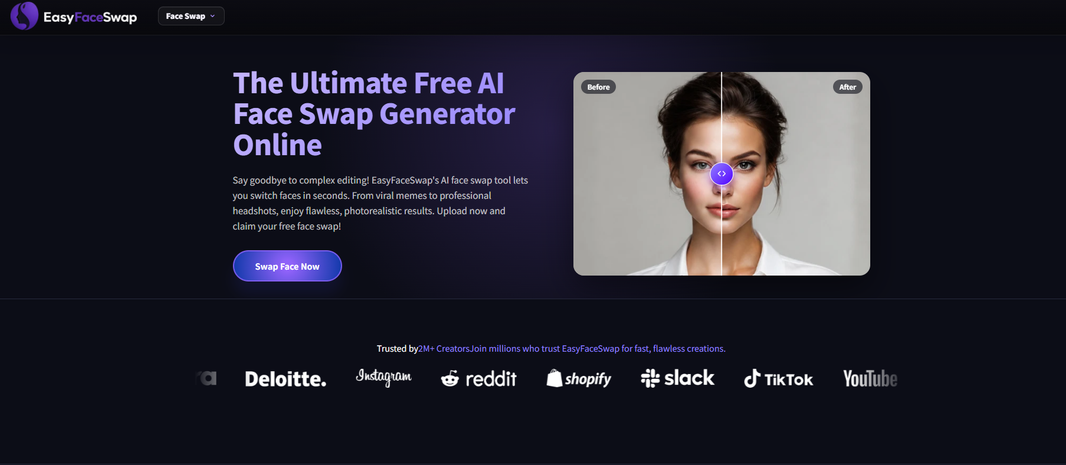
Short videos move fast, and creators are under pressure to post often without looking stale. That’s where AI face swap can help. Used well, it lets you test characters, recreate reactions, make parody skits, localize content, and build repeatable formats without reshooting every clip from scratch.
I’ve used face swap tools in short video planning the same way I use captions, templates, and stock footage: as a production shortcut, not a replacement for good ideas. The best results still come from clear lighting, clean source footage, and a concept that makes sense in five to thirty seconds. If you’re new to this, a browser tool like Video Face Swap is a simple place to start because you can focus on the creative test before building a full editing workflow around it.
The key is to use AI face swap in ways that feel intentional. Random swaps can look cheap or confusing. A strong use case has a reason behind it: the face change adds humor, speed, character, or clarity. Creators who get the most value from tools like EasyFaceSwap usually treat the swap as one layer in the video, then polish the rest with sound, pacing, captions, and a good hook.
Scenario 1: Comedy Skits With Repeatable Characters
Comedy is one of the most natural fits for AI face swap because short video platforms reward fast character changes. If you make skits about office life, dating, school, parenting, gaming, or creator culture, one person can play several roles without changing outfits ten times or filming all day. The face swap becomes part of the joke, especially when the audience understands the character type right away.
For example, a creator can film a simple scene where “the client,” “the designer,” and “the manager” all react to the same bad idea. Instead of finding three actors, they record each role themselves, then use face swap to give each character a different look. The benefit is speed. You can keep the same camera setup, repeat the format every week, and spend more time writing sharper punchlines.
This works best when the performances are clear. Overacting a little helps because short videos need readable emotion. A raised eyebrow, a frozen smile, or a deadpan stare can sell the joke even if the swap is not perfect. I’ve found that simple front facing shots often beat busy movement, especially when the clip will be watched on a phone screen.
The trade-off is that viewers may notice the effect if the face moves too much or the lighting shifts between shots. That’s not always a problem for comedy. A slightly strange swap can add to the humor. But if the joke depends on realism, keep the head angle steady and avoid covering the face with hands, hair, or props.
Scenario 2: Trend Participation Without Losing Your Brand
Trends can be exhausting because they change quickly. One day everyone is recreating a movie scene, the next day it’s a famous interview clip or a reaction meme. AI face swap helps creators join trends faster while still making the video feel tied to their own page.
Say a fitness creator wants to use a popular “before the meeting starts” meme format. Instead of copying the trend exactly, they can swap into a character that represents “Monday motivation,” “the lazy inner voice,” or “future you after six weeks.” The face swap adds a visual twist, while the message stays aligned with the creator’s niche. That matters because trend chasing only helps if new viewers understand why they should follow you.
Beauty, fashion, and lifestyle creators can also use swaps to test “what if” looks. A short clip might show a creator reacting as different style personalities, such as minimalist, glam, vintage, and festival. The benefit is creative range. You can explore more identities and moods without needing a full wardrobe change for each one.
The risk is overusing trends until your account feels generic. A good rule is to treat face swap trends as packaging, not the whole product. Your caption, voiceover, and ending should still sound like you. If every clip depends on the same gimmick, viewers may watch once but not remember who made it.
Scenario 3: Educational Shorts That Hold Attention
Educational creators often struggle with retention. The information may be useful, but the video can feel flat if it is just one person talking to camera every day. AI face swap can help turn a lesson into a scene, and scenes usually hold attention longer.
A language teacher could play both the tourist and the local in a quick conversation. A finance creator could act as “past me” making a bad money choice and “future me” explaining the fix. A history page could show a host briefly stepping into the role of a public figure while making it clear that it is a visual illustration, not real footage.
The benefit is clarity. When each role has a different face or character design, viewers can follow the point faster. That matters in short videos because people scroll the second they feel lost. Face swap can create contrast without needing a studio, cast, or complex animation.
Accuracy and transparency matter more in educational content than in pure comedy. Don’t use face swap to fake proof, fake interviews, or imply someone said something they never said. If you use a public figure, parody or commentary should be obvious, and you should avoid misleading edits. For sensitive topics, it’s better to use fictional faces or your own face in different character styles.
Scenario 4: Product Demos and Audience Avatars
Product creators, affiliate marketers, and small business owners can use AI face swap to show how different customer types might react to a product. This is useful when the product solves several problems, but one plain demo would feel too broad.
For instance, a creator selling a planner could film quick scenes as a student, a busy parent, and a freelancer. Each character has a different pain point, but the video stays simple because the creator performs all three. The face swap helps the viewer see themselves in one of the roles, which can make the benefit feel more personal.
This approach also works for app demos, digital products, coaching offers, and service businesses. A social media manager might show “the founder before content planning” and “the founder after batching posts.” A creator selling meal plans might show different reactions from a beginner, a picky eater, and someone short on time.
The limit is trust. If you make product claims, the face swap should not pretend to be a real customer testimonial. Use it for storytelling, not fake social proof. A fictional character can be very persuasive if the problem is real and the result is explained honestly.
| Use case | Best video style | Main benefit |
|---|---|---|
| Comedy skits | Fast dialogue or reactions | More characters with less filming |
| Trends | Meme formats and parodies | Faster posting while staying on brand |
| Education | Role play or contrast scenes | Better retention and clearer points |
| Product demos | Customer avatar scenes | More personal problem framing |
A Practical Workflow for Short Video Creators
Start with the idea before opening the tool. I like to write the video in three parts: hook, switch, payoff. The hook grabs attention in the first two seconds. The switch is where the face swap earns its place, usually by revealing another character or a surprising point of view. The payoff is the joke, lesson, or reason to save, share, or click.
Once the concept is clear, record source footage with the swap in mind. Face the camera or use a mild angle. Keep lighting even across the face, and avoid strong shadows from hats or overhead lights. If you’re filming multiple roles, lock your phone or camera in place so the frame stays steady. This makes the edit feel cleaner and helps the AI track the face better.
Choose source faces that match the scene’s purpose. For comedy, expressive faces are fine. For a more realistic demo, pick a face with a similar angle, age range, and lighting to the original clip. The closer the source and target match in pose and brightness, the less editing you’ll need later.
After generating the swap, watch it on a phone, not just a laptop. Short videos live on small screens, and flaws can look different there. Check the eyes, mouth, jawline, and any moment where the face turns. If the swap breaks for half a second, you can often cut around it, zoom in, add a reaction caption, or place a quick sound effect over the moment.
Then edit for pace. AI face swap may create visual surprise, but retention comes from timing. Trim pauses. Add captions that support the joke or lesson without repeating every word. Use music only if it helps the mood. I’ve seen swaps that looked technically fine still fail because the intro took too long.
Before posting, think about consent and context. Use your own face, licensed assets, or faces you have permission to use. Be extra careful with real people, coworkers, customers, public figures, and minors. Many platforms are getting stricter about synthetic media, and audiences are more aware of it too. Clear parody is different from deception, and that line matters.
Conclusion
AI face swap can give short video creators more range without adding a full cast, bigger budget, or longer shoot days. It works especially well for comedy skits, trend formats, educational role play, and product storytelling because those formats benefit from quick character shifts.
The strongest videos still start with a real idea. Use the swap to make the story clearer, funnier, or faster to understand. Keep the footage simple, edit tightly, and be honest about what viewers are seeing. When you treat AI face swap as a creative tool instead of a shortcut for everything, it can help you post more often while still making videos that feel human.