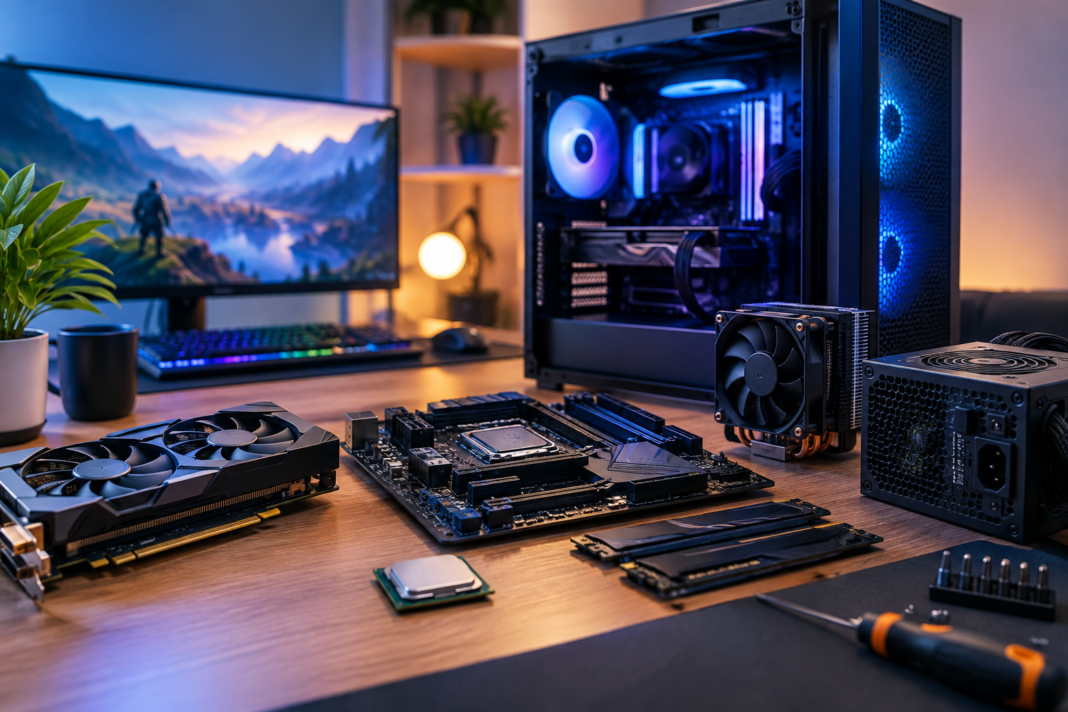
Last year, I finally realized my lifelong dream: to create a custom gaming personal computer (PC). Contrary to what most PC builders believe, I found this task relatively easier.
Building a custom PC is like assembling LEGO sets; you just need to understand how different parts work. Besides this, it was a rewarding process because I got to choose the best parts for my machine.
Also, choosing brand new or latest technologies can cost an arm and a leg. However, building a gaming PC doesn’t always have to be expensive. With enough research and patience, you can find slightly used or refurbished parts at much lower rates.
In this article, I will explain how I built my first gaming PC. From some dos and don’ts to tips and tricks, I will share everything you need to know about building your first gaming PC.
So, let’s get started:
Thoroughly Understand Your Gaming Needs
The first step in building a gaming PC is to understand your specific needs. Whether you want to play AAA titles at ultra-high settings, compete in local or regional esports competitions, or just want to enjoy intense gaming sessions with your friends, your gaming needs will directly impact the decisions you’ll take later.
In addition, you must also clearly define the allocated budget. As I explained above, building a gaming PC doesn’t always have to be expensive. You can also allocate different budgets to different components, which you believe will elevate your gaming experience.
On a side note, the graphics processing unit (GPU) and central processing unit (CPU) usually take a big chunk of the budget because both components are critical to a seamless gaming experience.
Research Core Components to Build Your Gaming PC
Once you’ve identified which games you want to play, it becomes easier to choose the core components to build your gaming PC. Generally, there are three core parts of a gaming PC, which are:
- Graphics Processing Unit (GPU)
- Central Processing Unit (CPU)
- Motherboard
As I mentioned, these two or three components might be the most expensive. However, reputable brands like Intel and Nvidia manufacture quality chips and processors that can easily last a few years. That said, you have to keep compatibility and potential upgrades in mind, which I will discuss in the next heading.
Also, not exactly a core component, but an active internet connection is equally important for a seamless gaming experience. Without it, you won’t be able to download games, let alone play them. Plus, if you’re planning to stream your games on YouTube, Discord, or Twitch, then fix it before you build your gaming PC.
Personally, my experience with Xfinity has been pretty good so far. Xfinity Internet speed is ideal for playing bandwidth-intensive games. Plus, with its gig-speed connectivity, you can easily download heavy games without any fuss.
Keep Compatibility and Potential Upgrades in Mind
When building a gaming PC, it’s important to keep the compatibility of different components in mind. Most beginners make this mistake of choosing motherboards, GPUs, or CPUs that don’t work together smoothly.
As a result, their gaming experience is severely compromised, or they might need to replace those components with suitable ones. Plus, you also need to keep in mind the motherboard that connects the storage, CPU, and other components.
Ideally, a high-end motherboard is recommended, one that can easily manage your system’s traffic without slowing down.
Similarly, you might also upgrade your gaming setup over time. So, instead of replacing core components, purchase easily upgradable parts.
Miscellaneous Parts to Consider
Till now, I’ve explained how you can choose some of the most important components to build your gaming PC. However, your PC won’t be complete without other parts, which I will explain in this heading:
- CPU Case: It’s like a house for the computer’s components, and you must never compromise on your CPU case. That said, depending on the available space, you can choose between a horizontal or vertical CPU case.
- CPU Cooler: The purpose of a CPU cooler is to draw heat away from your processor and keep it at an optimal temperature. Processors are prone to overheating, and a CPU cooler, which uses either thermal paste or cooling liquid, keeps its temperature in check.
- Random Access Memory (RAM): Essentially, it is the short-term storage or cache memory of your system. Ideally, the higher the RAM, the faster and more efficient your system is, as it will quickly load cache data required to run different games.
- Power Supply: As the name indicates, a power supply is the main source of power attached to your gaming setup. Here, keep in mind that you must calculate how much wattage your components consume. Simply because you either have to match or exceed that wattage to ensure that your system doesn’t break down.
For beginners who want a comprehensive roadmap to build their first gaming PC, this guide explains everything. And to conclude, I’d suggest that you always do a final pass before turning on your custom gaming PC.
Sometimes, a misplaced wire or loose processor can sabotage a whole system, and that’s why it’s best to double-check everything before finally turning on your gaming PC.